Monkey Wrench – Word Search
- 4.7
- Rating
- 100.00K
- Installs
- Free
- Price

 Analysis by App-foxy
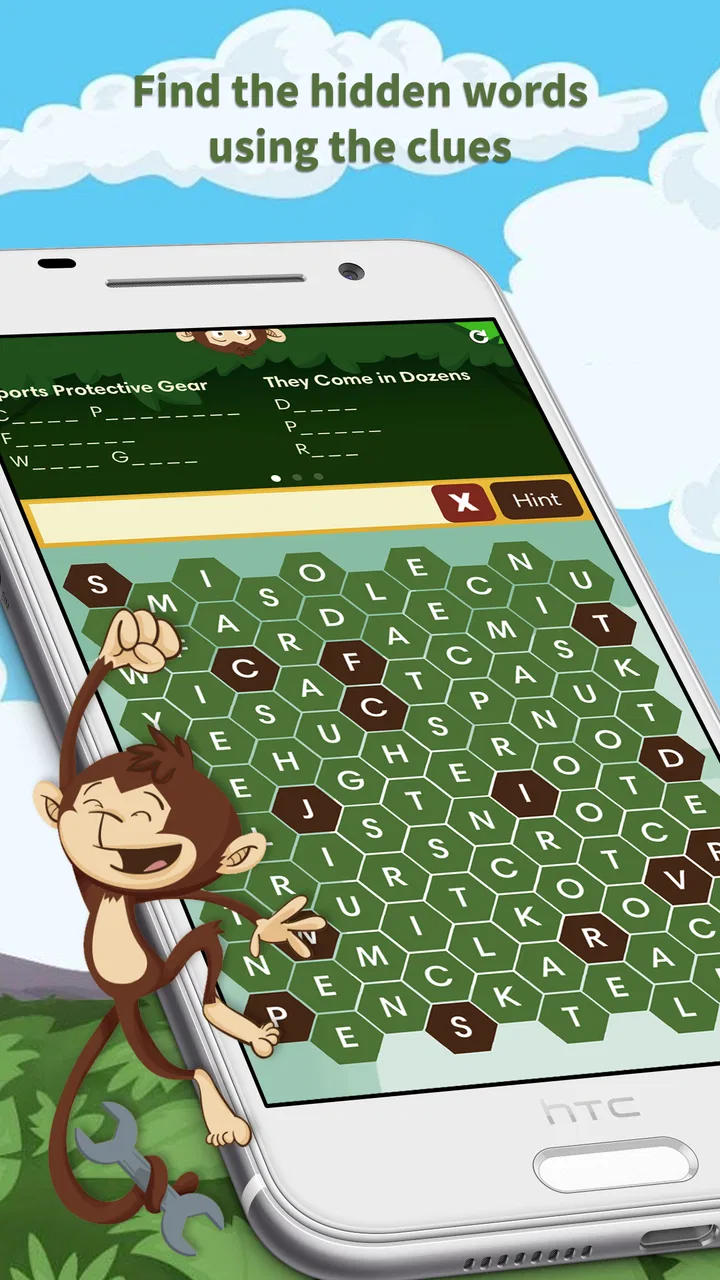
I approached Monkey Wrench as a relaxed word-search game rather than a title meant to replace a full puzzle collection. Its central idea is easy to understand: scan a letter grid, spot hidden words, and mark them as you go. That simplicity is exactly why it can work well for family play, short breaks, and people who want a gentle mental activity without learning complicated rules.
What interested me most was how much the experience depends on presentation. A word search can be welcoming when the letters are clear and the board is easy to follow, but frustrating when visual clutter, small targets, or hurried interaction get in the way. In my experience, this game is best judged not only by whether the puzzles are enjoyable, but also by how comfortably different people can read, touch, and concentrate on them.
How the game feels to use in everyday situations
I look at everyday use through the small choices that make a visual puzzle comfortable: where I sit, how I hold the phone, and whether I can give the grid my attention without rushing. Those details matter more than mastering rules here, and they help explain why the same simple activity can feel soothing in one setting but tiring in another.
You May Also Like

 Blood Strike: 2.5 Anniversary
Blood Strike’s Loadouts Turn Every Drop Into a Tactical Gamble
A close look at Blood Strike’s custom loadouts: how fast access to signature weapons reshapes its battle royale rhythm, rewards preparation, and narrows the gap between fights.

 Pandora - Music & Podcasts
Pandora’s Music Is Easy to Start, but Harder to Recover
Pandora’s strength is its low-effort path from a seed to a station. Its weak spot is how much confidence it asks you to place in connection, setup, and quiet recovery.

 8 Ball Pool
8 Ball Pool Is Built on Rivalries, Rematches, and Routine
A close look at the rivalries, rematches, shared routines, and unanswered safety questions that turn a quick pool match into a persistent mobile community.

 Samsung Music
Samsung Music’s Quiet Strength Is Playing What You Already Own
Its reach comes less from spectacle than from dependable access to a personal library. That simplicity is both the app’s strongest retention engine and its ceiling.

 AccuWeather: Weather Radar
AccuWeather Review: A Quick, Clear Forecast for Everyday Decisions
For everyday plans, the best forecast is the one you can understand quickly. AccuWeather makes rain timing, radar, and local conditions easy to act on, with a few trade-offs.

 Hill Climb Racing
Why Hill Climb Racing Still Turns Crashes Into One More Run
A tiny car, a bumpy hill and one more upgrade: Hill Climb Racing keeps resurfacing because its simple chaos makes every near-miss feel personal.
More From Our News Desk



Readability and navigation come first
The strongest part of this kind of game is its immediate structure. You do not need a tutorial-heavy introduction to understand the objective. The board presents a familiar word-search task, and the player’s attention can go straight to the letters. That makes it approachable for someone who has never played a mobile word game, including a family member who may not enjoy complex interfaces.
I found that the main challenge is not learning the rules but maintaining visual focus. A letter grid asks you to compare nearby characters repeatedly, trace possible directions, and remember which words have already been found. On a smaller phone, that can become tiring faster than it would on a larger screen. I would recommend holding the device at a comfortable distance and increasing the system’s general text size only if it does not interfere with the game’s layout.
The navigation style also suits short sessions. There is no need to manage a large inventory, understand a map, or remember a long chain of objectives. You can open the game, complete a puzzle, and stop without losing the sense of what you were doing. That makes it a practical choice for a waiting room, a quiet commute, or a few minutes before bed.
One useful habit is to search systematically rather than jumping randomly around the board. I usually begin with unusual letters, then check likely starting points in straight lines. This reduces repeated scanning and makes the experience less demanding for players who find constant visual switching tiring. It also turns the game into a calmer exercise instead of a frantic hunt.
The developer, Blue Ox Family Games, Inc., has positioned this as a family-friendly word game, and the broad appeal is easy to understand. The content rating is Everyone, so it is suitable for a shared household setting where younger and older players may use the same device. That does not mean every person will find the visual task equally comfortable, but the basic concept is approachable across age groups.
Motor and sensory considerations
Word searches are often described as simple because the rules are simple, but the physical action still matters. Finding a word generally involves dragging across letters or selecting a sequence on a touchscreen. For someone with limited finger precision, tremor, joint pain, or difficulty maintaining a straight movement, that action may be harder than the puzzle itself.
I would treat the game as more comfortable for players who can make controlled touch gestures. A stylus may help some people, although its usefulness depends on the phone and the player’s grip. Resting the device on a table can also reduce hand fatigue. If a player has difficulty with repeated swipes, short sessions are more realistic than trying to complete many boards at once.
The sensory load is relatively focused: the player mainly deals with letters, a grid, and the visual feedback associated with finding words. That can be preferable to a game filled with flashing effects, rapid movement, or constant sound. At the same time, a dense field of similar characters can still be visually demanding. Players with dyslexia, low vision, color-vision differences, or strong sensitivity to clutter may need to test the game personally before deciding whether it is comfortable.
I would not describe the experience as automatically accessible just because it is casual. Large letters, strong contrast, and clear selection feedback make a major difference in word games, yet comfort varies substantially between devices and users. A tablet-sized screen may be a better fit for a player who struggles to distinguish neighboring characters on a phone. Someone who relies on spoken output should also remember that a visual grid is central to the activity, so screen-reading support alone would not replace the need to inspect the board.
There is a practical social workaround here. If one person finds the touch interaction difficult but enjoys vocabulary and pattern recognition, another player can handle the marking while the first person calls out possible words. That changes the game from a solo activity into a cooperative family puzzle without requiring anyone to compete against a timer or perform every gesture personally.
Situational access: when it works best
My favorite use case is a quiet, low-pressure break. Imagine sitting with a child or older relative after dinner, passing the phone between you, and looking for words together. The rules are simple enough to explain in a moment, and the activity gives both players something concrete to discuss. It is also less demanding than a competitive game when the goal is conversation rather than winning.
It can fit well into travel, but only when the environment is stable enough to read. On a moving bus, in bright sunlight, or while standing, the small grid may become uncomfortable and the touch gestures less accurate. For those situations, an audio-first game, a larger-format puzzle book, or a game with fewer visual demands may be a better choice.
The free price makes experimentation easy, especially for families deciding whether a word search belongs on a shared device. The game has an average rating of 4.7 from around 5 thousand ratings, which suggests that many players enjoy the straightforward format. I still would not use that figure as a guarantee of personal fit: people who rate casual word games highly may value exactly the visual searching that another player finds tiring.
There are also in-app purchases ranging from $0.99 to $9.99 per item. That is worth considering in a family setting, particularly if children use the device. I would review the purchase controls on the phone before handing it over, and I would make sure everyone understands that the free download does not necessarily mean every optional item is included without charge.
The game has been available since February 17, 2016, and its long presence helps explain why it feels like a focused, established type of mobile puzzle rather than a constantly changing social platform. Players who want a dependable word-search routine may appreciate that simplicity. Players looking for frequent new systems, online competition, or a broader collection of puzzle mechanics may find the format too narrow.
What can still create barriers
The biggest barrier is the dependence on visual scanning. Even when the rules are perfectly clear, the player must distinguish letters, follow a line across the grid, and confirm a selection. That is a demanding combination for anyone with reduced visual acuity or difficulty tracking objects across a crowded area. I would not recommend choosing it solely because it is labeled as a family game; the family-friendly theme does not remove the physical requirements of the puzzle.
Touch accuracy is another possible source of friction. A player may see the answer but fail to mark it cleanly, especially when the word runs diagonally or when the phone is being held in one hand. Using both hands, placing the phone on a flat surface, and slowing down can help. If those adjustments do not make the interaction comfortable, a printed word search with a pencil or a puzzle designed around tapping individual answers could be more suitable.
Attention can also be a limiting factor. The game’s quiet structure is a strength for some people, but it offers little help if a player loses their place in the grid. I recommend working in sections: scan one area, note likely starting letters, and move on instead of repeatedly sweeping over the entire board. This is a small technique, but it reduces the mental fatigue that comes from searching without a plan.
Another trade-off concerns motivation. A traditional word-search book gives a physical sense of progress and can be shared without worrying about battery life or accidental purchases. A phone game is more portable and interactive, but it also places the puzzle inside a device that may bring notifications, glare, or other distractions. For focused use, I would silence notifications and choose a comfortable display setting before starting.
People who need highly adjustable interfaces should be cautious. I would choose a different word game if my priority were extensive visual customization, strong support for alternative input, or a design built around spoken instructions. Monkey Wrench is a straightforward touch-and-see puzzle, and its appeal comes from not adding much beyond that. The same simplicity that makes it approachable can leave fewer options for players who need the interface adapted to them.
How it compares with familiar alternatives
Compared with a printed word-search book, the game is more convenient when I want something immediately available and easy to carry. The phone can be used almost anywhere, and there is no pencil to lose. The printed option wins when I want a larger page, a tactile marking method, or a screen-free activity. For a person with hand control difficulties, the pencil may be no easier, but the larger physical format could still improve readability.
Compared with crossword games, this title asks less from language recall. A crossword often requires interpreting clues, spelling an answer, and fitting it into a crossing structure. Here, the task is more visual and pattern-based: recognize a word and locate it in the grid. That makes it a better fit for someone who wants vocabulary practice without clue solving, while crossword fans may find it less intellectually varied.
Compared with anagram games, the experience is also more relaxed. Anagrams reward quick rearrangement and often create pressure through limited time or repeated rounds. A word search gives me a slower way to engage with letters. If I want a calm activity for a child or a shared session with an older adult, I would choose this format over a speed-focused alternative. If I want a stronger challenge in spelling flexibility, I would look elsewhere.
The game’s audience is therefore quite specific. It suits people who enjoy spotting patterns, prefer familiar rules, and want a casual activity that can be paused naturally. It is less suitable for someone seeking a story, character progression, multiplayer competition, or a constantly expanding set of mechanics. Knowing that distinction prevents disappointment more effectively than simply looking at the rating.
Who I would recommend it to
I would recommend it to families wanting a low-stakes word activity, adults who enjoy traditional hidden-word puzzles, and players who prefer visual concentration over fast reactions. It is especially appealing when the aim is to fill a short quiet moment rather than commit to a long gaming session. The Everyone age rating supports that broad household use, although individual reading and touch needs still deserve attention.
I would be more selective for children who become frustrated by slow visual searching. A parent can make the game more cooperative by reading or discussing possible words and sharing the marking task. That approach also avoids turning the puzzle into a test of speed. For older players, a larger screen and good lighting may matter more than the game’s basic rules.
I would skip it if I wanted a hands-free experience, extensive accessibility controls, or a game that trains several different language skills at once. I would also skip it if I disliked scanning letter grids; there is no clever theme or alternate genre mechanic that changes the fundamental activity. The title does one thing, and the decision depends on whether that one thing is enjoyable and physically manageable for you.
My inclusive verdict
Monkey Wrench is a pleasant, focused word-search game with a low learning curve and a format that can bring different generations around the same puzzle. Blue Ox Family Games, Inc. keeps the central idea clear, and the free entry point makes it easy to try on a personal or shared device. Its strong average rating and more than 100 thousand installs reflect broad interest, but the real question is whether the visual grid and touch marking suit the person holding the phone.
In my view, its accessibility is situational rather than universal. The calm pace, familiar rules, and absence of complex navigation can help people who want a simple mental activity. However, visual density, diagonal selections, small-screen use, and repeated gestures can create real barriers. I would test it in the exact setting where it will be used, preferably with good lighting and a stable surface, before recommending it to someone with specific access needs.
For me, the best way to enjoy it is to treat it as a shared, unhurried puzzle rather than a demanding solo challenge. Use a larger screen when possible, search in organized sections, protect children from unintended purchases, and stop when the eyes or hands become tired. With those expectations, this free word game earns a place among simple family-friendly diversions. It is not the right tool for every ability or every context, but for players who can comfortably read and mark the grid, it offers an easygoing way to spend a few thoughtful minutes.
FAQs for Monkey Wrench – Word Search
01What is Monkey Wrench – Word Search?
Monkey Wrench – Word Search is a casual word puzzle game centered on finding hidden words in letter grids. It is designed for players who enjoy relaxing brain teasers, vocabulary challenges, and short play sessions. The monkey-themed presentation gives the game a playful personality, while the basic objective remains easy to understand: scan the puzzle, identify the listed words, and complete each board.
02How do you play Monkey Wrench – Word Search?
Gameplay is based on locating words hidden horizontally, vertically, diagonally, and sometimes in reverse directions, depending on the puzzle design. You generally drag across the letters to highlight a discovered word. The game is suitable for beginners because the controls are simple, although later puzzles may require more concentration, careful scanning, and familiarity with less common words.
03Is Monkey Wrench – Word Search free to download and play?
The game can generally be downloaded without an upfront purchase, but the exact monetization model may vary by platform and version. Players should check the Google Play Store or Apple App Store listing for current information about advertisements, optional in-app purchases, premium features, or paid content. Reviewing these details before installing is recommended, especially for children or users who prefer uninterrupted gameplay.
04Does Monkey Wrench – Word Search require an internet connection?
Many word-search games allow at least some puzzles to be played offline after installation, which makes them convenient for travel, waiting rooms, or areas with unreliable connectivity. However, an internet connection may still be needed for advertisements, analytics, updates, cloud-related features, or purchases. Because requirements can change between versions, check the store description and test the game before relying on it offline.
05Is Monkey Wrench – Word Search suitable for children and casual players?
Monkey Wrench – Word Search is generally approachable for casual players because it uses straightforward touch controls and does not require fast reflexes. It may also help children practice spelling, visual recognition, and concentration, although suitability depends on the vocabulary and advertising shown in the current version. Parents should review the age rating, privacy information, and in-app purchase settings before allowing younger children to play.
Pros
- Simple controls make it easy to start searching immediately.
- Helpful hints can assist when a puzzle becomes difficult.
- Suitable for short play sessions during commutes or breaks.
- Word puzzles can support spelling and visual recognition skills.
- Works well for players who prefer relaxed
- non-competitive gameplay.
Cons
- Some puzzles may feel repetitive after extended play.
- Small letters can be difficult to read on compact screens.
- Hint availability may be limited unless earned or purchased.
- Difficulty progression may not satisfy experienced word-search fans.
- Ad interruptions can reduce the enjoyment between puzzles.

Monkey Wrench – Word Search
Gallery